
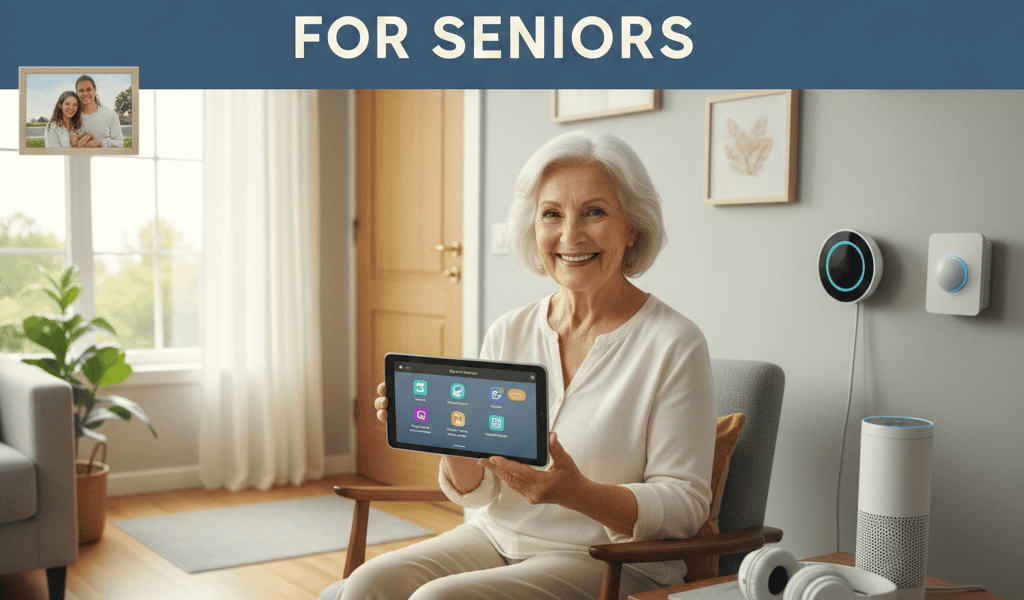

Keeping a senior loved one safe at home can feel overwhelming at first. Fortunately, modern devices and services make daily living safer while keeping independence intact. This article explores clear, practical ways to bring useful tools into a home setting without creating complexity for seniors or their families.
I will share specific device types, setup tips, privacy pointers, realistic cost ideas, and simple routines you can apply right away. The goal is to make senior home safety approachable through sensible choices and small changes that yield significant benefits.
Why modern devices can change senior home safety expectations
Technology in the home now covers falls, medication reminders, wandering, smoke detection, and emergency contact. These tools do not replace human care. They reduce risk and fill gaps when a caregiver cannot be physically present. For example, a wearable fall sensor can notify a response center within minutes while a family member gets to the house.
Another practical example is smart lighting that turns on with motion to reduce nighttime falls. This is a low effort improvement that addresses a common hazard. When selected with attention to ease of use, devices help maintain independence without adding daily frustration.
Common household risks and matching tech solutions
Start by listing the most likely risks in the home and then match each risk to a simple solution. Typical issues include falls in bathrooms and on stairs, missed medications, fire or carbon monoxide, and difficulty calling for help during an emergency.
- Falls. Options include wearable alert devices, floor sensors that detect unusual inactivity, and motion sensing lights to reduce dark walkways.
- Missed medications. Options include automatic pill dispensers with alarms and medication reminder apps that call or send notifications.
- Fires and carbon monoxide. Replace old detectors with models that have loud alarms and phone alerts so caregivers receive immediate notice.
- Isolation and delayed response. Video doorbells and basic two way communication hubs let seniors speak to visitors or responders without opening doors or moving to a phone.
How to choose the right device features for seniors
Not all products are a good fit. Choose devices that reduce complexity and use clear feedback. For many seniors a single button emergency pendant is easier than a phone app that requires navigation. Consider battery life and the method of alert when deciding which product to buy.
Look for features such as large, readable displays, loud and clear sound, hands free voice options when suitable, and minimal required interaction. Also check whether the device can contact local emergency services or a private response center and what costs are involved.
For a practical comparison and a curated list of product types to consider visit this resource on senior home safety technology which offers a useful checklist and questions to ask vendors.
Installation and setup tips that reduce frustration
Proper setup makes the difference between a device that sits unused and one that provides real value. Plan a short installation session and include the senior in the process so they become comfortable with the device.
Placement and integration
Place sensors and alarms where they solve specific problems. For example, mount motion lights near the bed and along stairways. Install smoke detectors in hallways and replace batteries annually on a consistent schedule. For wearables choose a comfortable style and a place the senior will wear it daily such as around the neck or on a wrist.
Training and testing
Run a simple test routine after setup. Practice pressing the emergency button and confirm that the call goes through. Show how to silence false alarms. Create a one page cheat sheet with images and short steps that sits near relevant devices. Periodically re test devices and review instructions so the senior stays confident using them.
Privacy considerations and data handling
When introducing devices that record movement or communications it is important to discuss privacy with the senior. Some people welcome remote monitoring while others find it intrusive. Agree on which spaces will be monitored and what data can be shared.
Check vendor policies about who stores data and for how long. Prefer services that offer local controls and the option to turn off recording when privacy is desired. Also set strong passwords and, where possible, enable two factor verification to limit unauthorized access.
Costs, subscriptions, and funding options
Costs vary from inexpensive sensors to recurring monthly monitoring charges. Upfront costs are not the only expense to consider. Many emergency response services require a monthly fee. Factor that into the household budget when deciding on devices.
- Compare total cost of ownership not only purchase price but monthly fees and battery replacements.
- Check health insurance plans or veteran benefits that may subsidize safety devices.
- Look for community programs through local aging services that loan or provide devices at low cost.
For families on a budget start with high impact, low cost items such as brighter night lights, grab bars, and a single emergency pendant. Add more advanced options later if needed.
Practical routines that make technology useful every day
Technology works best when paired with simple routines. Set a daily reminder to check that wearables are charged and in place. Build a weekly test into a family calendar where one person checks smoke detector batteries and device connectivity.
- Label chargers and cables so a caregiver can quickly plug devices back in.
- Keep a quick start guide near each device with images and steps for basic troubleshooting.
- Schedule monthly calls with the senior to review how they feel about each device and whether anything should be changed.
Small habits reduce the chance that a device will fail when it is needed most. Plus regular contact creates opportunities to spot problems that tech alone cannot solve.
Real life examples and simple implementation plans
Example one. An 82 year old living alone had two nighttime falls. A plan combined motion sensing night lights, a bed exit sensor that alerts a caregiver app, and a pendant with fall detection. The family reduced response times and the senior regained confidence moving around at night.
Example two. A couple where one partner has early memory loss used an automatic pill dispenser and a voice reminder system. Caregivers received daily adherence reports. The combination reduced missed doses and the partner with memory loss felt less pressured about remembering medication schedules.
Both examples illustrate a basic principle. Start small, choose devices that directly address the most immediate risk, and add elements over time.
Technology can make senior home safety easier without overwhelming anyone. Focus on clear value and simple operation. Use a checklist to match risks to specific devices and follow a basic setup and testing routine. Consider privacy and ongoing costs before buying and explore local programs for funding help. Most importantly include the senior in decisions so changes suit their comfort and style. Take one small step this week. Install a night light in a high risk area or buy a low cost emergency pendant and test it with your family. Small changes add up and can make staying at home safer and more comfortable for those you care about.


